Install guide
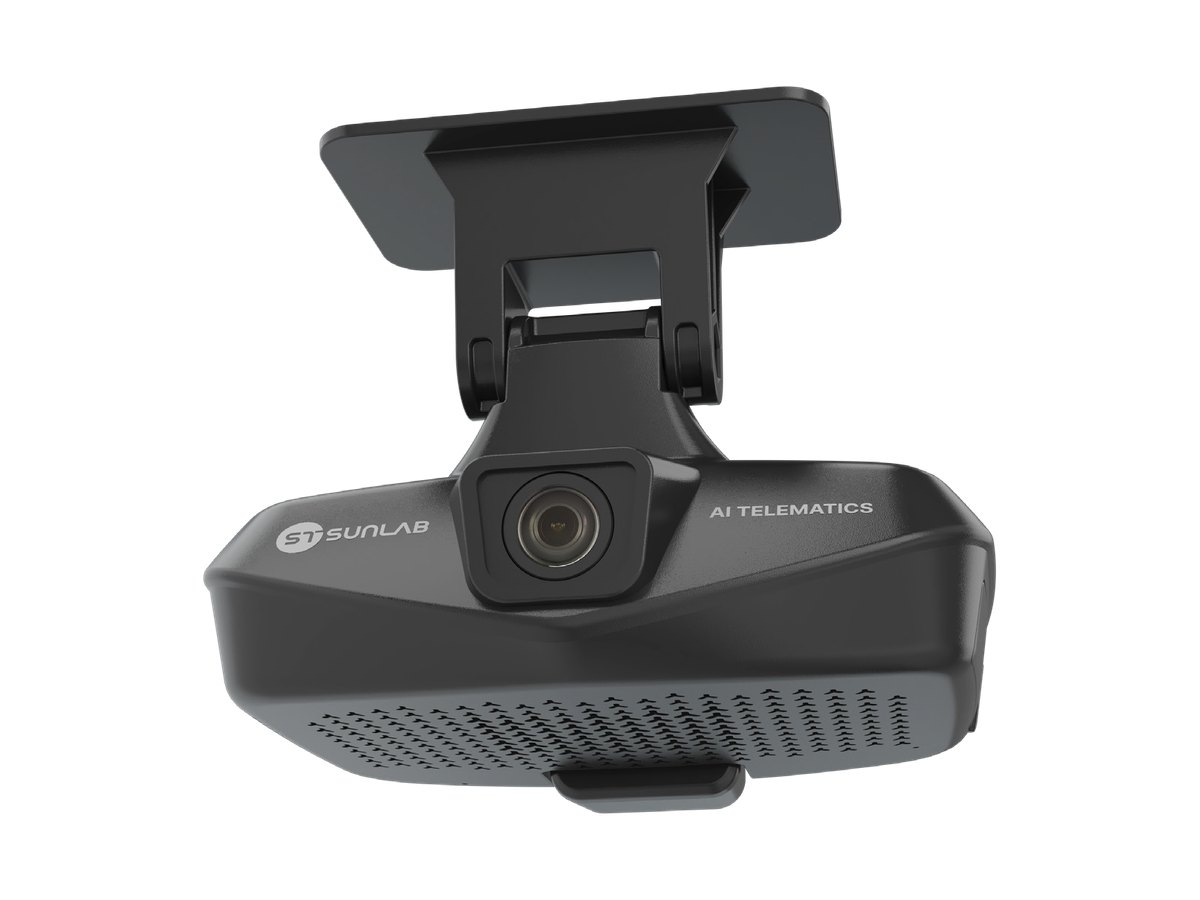
ST-9730: Dual View Driver Camera With AI
A dual-camera AI dash camera for vehicles with a road-facing camera and a driver-facing camera. Your order includes a hard-wire or a cigarette lighter power cable, depending on the option you picked.
About this device
- Listed by Ryse Vision for vehicles. Includes a hard-wire or cigarette lighter power cable (your choice). [1] [2]
- Forward camera and inward (driver) camera, both 1920 × 1080. Suntech describes AI-powered ADAS (road) and DMS (driver monitoring) functions. [3]
- Powered by DC 12 V or 24 V. 109.8 × 90 × 36.6 mm, 179 g. [3]
- Mounts with a sticker mount. The unit takes a Nano SIM (4FF), which ships already installed and activated, and a microSD card (up to 512 GB supported). [3]
- Operating temperature -30 °C to 75 °C (-22 °F to 167 °F). [3]
Install steps
The ST-9730 is straightforward to install: mount it, plug in power, and you are done. The SIM is already installed and activated.
- Mount the camera. Use the supplied sticker mount. Aim the forward camera at the road and the inward camera at the driver.
- Plug in power using the cable that came with your order (Hard Wire or Cigarette Lighter Plug-in, below).
- Done. You do not need to insert a SIM card.
Power option: Hard Wire
Mount the camera, then plug in the hard-wire power cable that came with it. That is the whole install.
Need help? Email support@rysevision.com.
Power option: Cigarette Lighter Plug-in
Mount the camera, then plug the cigarette lighter power cable into the vehicle's socket. That is the whole install.
Need help? Email support@rysevision.com.
After it is installed
The SIM is already installed and activated, so the device is ready to use once it is mounted and, if it is a wired unit, powered. Our sales team emails your Ryse Vision login instructions within 1 business day of your order. When you have them, sign in with the Ryse Vision app: App Store (iPhone), Android from rysevision.com, or the web login.
Questions about your order: sales@rysevision.com or (325) 277-5155. Install and technical help: support@rysevision.com.
Sources
- Ryse Vision: Hardware & Cables (part numbers and applications)
- Ryse Track: Products page
- Suntech US: ST9730 datasheet
- Suntech do Brasil UniverST: ST9730 course page (Portuguese)
Specifications are the manufacturer's (Suntech). Your Ryse Track unit may be a variant of the model described there. If something on your device does not match this guide, stop and email support@rysevision.com.