
Install guide
ST-6560: Mobile Equipment Manager with Diagnostics
A diagnostics tracker compatible with any gas or diesel vehicle that has an OBDII port, and also J1939 compatible for diesel haul trucks and heavy equipment. Every ST-6560 order includes one cable: OBDII, CAT, J1939, or Hard Wire.
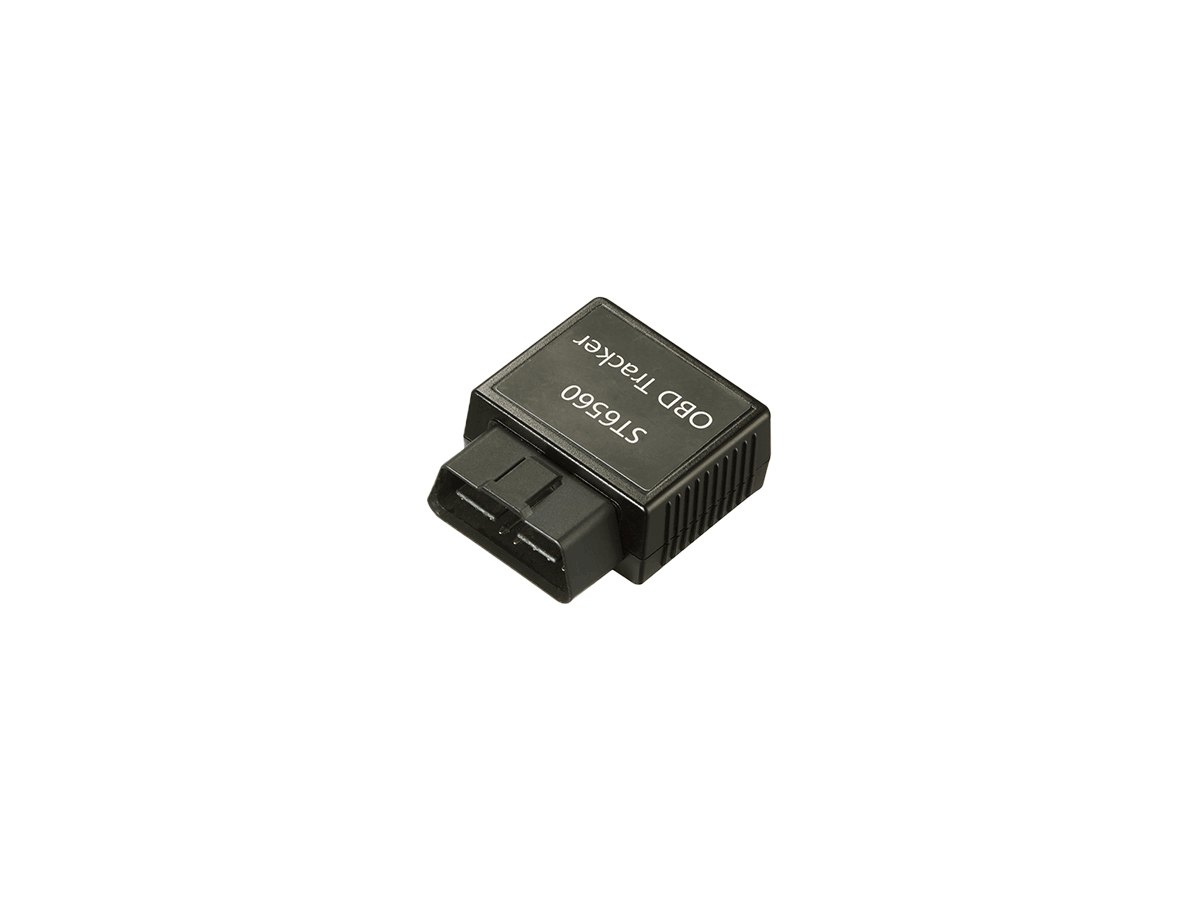
About this device
- Compatible with any gas or diesel vehicle that has an OBDII port. Also J1939 compatible: the J1939 setting supports the CAT, J1939, and Hard Wire cable applications, which are for diesel haul trucks and heavy equipment. The OBDII cable is for cars and light trucks (gas or diesel). [1]
- Compact: 59 × 50 × 24 mm (2.32 × 1.97 × 0.94 in), 55 g. [3]
- On OBD-II installs, powered through the OBD-II port: DC 8 V to 28 V, with reverse-polarity protection on the main power. [3]
- OBD-II (16-pin J1962) with J1939 / FMS support for heavy-duty vehicles. 3-axis accelerometer and gyroscope, 90 mAh backup battery. [3] [4]
- Cellular: LTE Cat M1 / NB-IoT with 2G fallback. LED indicators for network and GPS. [3]
- Operating temperature -30 °C to 85 °C (-22 °F to 185 °F). [3]
Install steps
The OBDII, CAT, and J1939 cables are plug-and-play Y cables. Use the cable shown on your order. If you ordered Hard Wire (CC-287), skip the Y-cable steps and follow the four-wire table in the Hard Wire section below.
- The SIM is already installed and activated. You do not need to insert a SIM card.
- Plug the Y cable into the vehicle's diagnostic or power port (the CAT, J1939, or OBD-II connection that matches your cable).
- Connect the tracker to the other end of the Y cable.
- Secure the tracker so it cannot come loose.
- Check the LEDs. The unit has a GPS LED (red) and a cellular LED (blue). [4]
Your cable
Your ST-6560 order includes one cable. Ryse Vision lists these four options by part number. [1] Use the one shown on your order. The OBDII, CAT, and J1939 cables are plug-and-play Y cables. Hard Wire is a manual four-wire install.
OBDII cable CC-286
A plug-and-play Y cable for cars and light trucks (gas or diesel) with an OBDII port. [1] Plug it into the vehicle's OBD-II port, connect the ST-6560, and secure the tracker.
CAT cable CC-283
A plug-and-play Y cable for CAT (J1939) applications: diesel haul trucks and heavy equipment. [1] Plug it into the vehicle's CAT diagnostic or power port, connect the ST-6560, and secure the tracker.
J1939 cable CC-288
A plug-and-play Y cable for J1939 applications: diesel haul trucks and heavy equipment. [1] The ST-6560 supports J1939 / FMS data on heavy-duty vehicles. [3] Plug it into the vehicle's J1939 port, connect the ST-6560, and secure the tracker.
Hard Wire CC-287
A four-wire hard-wire cable for J1939 applications: diesel haul trucks and heavy equipment. These four wires need to be connected manually:
| Wire | Connect to |
|---|---|
| Green | CAN bus low |
| Yellow | CAN bus high |
| Red | Constant 12V power |
| Black | Constant ground |
Use constant power and ground, not ignition-switched circuits. We recommend a qualified installer for hard-wire installs.
Need help? Email support@rysevision.com.
Need help? Email support@rysevision.com.
After it is installed
The SIM is already installed and activated, so the device is ready to use once it is mounted and, if it is a wired unit, powered. Our sales team emails your Ryse Vision login instructions within 1 business day of your order. When you have them, sign in with the Ryse Vision app: App Store (iPhone), Android from rysevision.com, or the web login.
Questions about your order: sales@rysevision.com or (325) 277-5155. Install and technical help: support@rysevision.com.
Sources
- Ryse Vision: Hardware & Cables (part numbers and applications)
- Ryse Track: Products page
- Suntech US: ST6560 datasheet
- Suntech do Brasil: ST6560 user manual, Rev 1.1 (Portuguese)
Specifications are the manufacturer's (Suntech). Your Ryse Track unit may be a variant of the model described there. If something on your device does not match this guide, stop and email support@rysevision.com.